文章
EtherCAT Slave 应用程序快速开发指南
本文目的:为购买了 esd EtherCAT Slave 板卡(如 ECS-PCIe/FPGA )的用户提供一个具备基础功能的,简单的EtherCAT Slave Linux应用程序示例代码,使得用户能快速了解开发 Slave 应用程序的主要架构。
Referred documents
EtherCAT Slave Manual
EtherCAT Workbench Manual
ECS-PCIe/FPGA Hardware Manual
Preparation
Step 1: 参考ECS-PCIe/FPGA Linux 安装快速指南,安装板卡驱动
Step 2: 参考EtherCAT Slave stack Linux安装快速指南,安装EtherCAT Slave协议栈软件。
Example Code
下载 essBasic.c ,编译命令如 gcc -o essBasic essBasic.c -less
Main Function
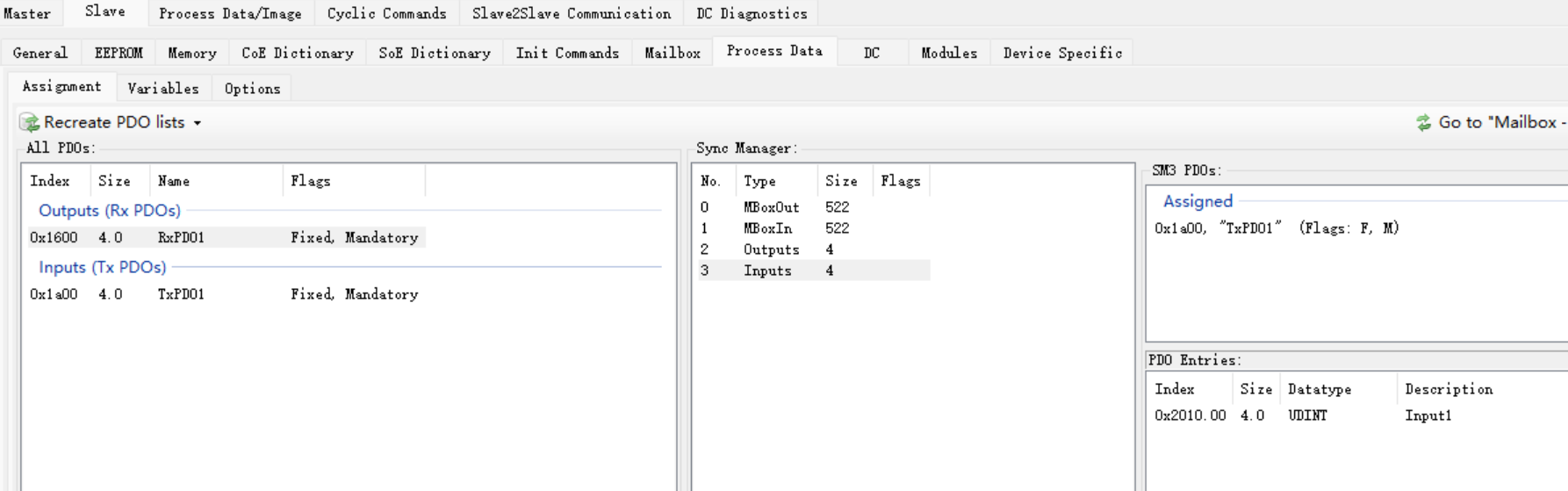
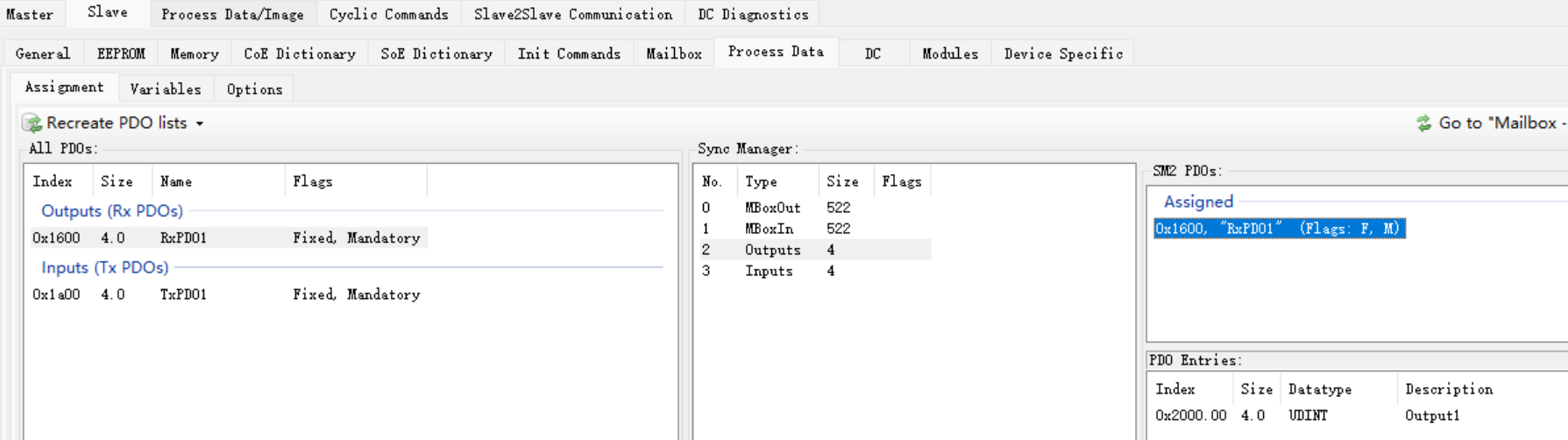
- SM Configuration: SM0 MBoxOut, SM1 MBoxIn, SM2 Outputs, SM3 Inputs.
- PDO configuration and assignment: 0x1600 set to RxPDO1, and assigned to SM2; 0x1a00 set to TxPDO1, and assigned to SM3;
- OD(Obj dict.) creation: Add Object 0x2000 as Output1 and 0x2010 as Input1. Add each entry to them, both are set to mappable.
- Configure neccessry Callbacks to the application:
- cbOutputsUpdated(): Outputs 有更新后,立刻打印更新的数据。
- cbCyclic(): Called cyclically – this should be the application’s main loop。ESS_CONFIGURATION 中设定每 100 毫秒被 call back 一次。每次 call back 都判断一下目前是否处于 SafeOP 或者 OP 状态,如果是的话,开始更新Input。并且跟踪程序运行时间,运行 1000 秒后退出程序。
- cbStateRequest(): Called when EtherCAT requests a new state for the slave。打印状态变化的信息。如果判断为Init状态时,进行PDO的配置。
- cbInOutputsActivate(): 依据状态变化而被调用,跟踪 Input 和 Output 能否被更新的状态。
- cbDCEvent(): 没有处理。
Run the compiled executable
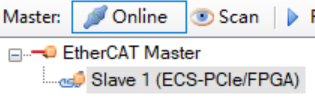
使用esd EtherCAT Workbench 进行通讯测试。安装有Workbench的电脑通过网线与 ECS-PCIe/FPGA 的 In 端口连接。首先运行编译好的执行文件 sudo ./essBasic。然后打开 Workbench,将 ESD ECS-xxx-FPGA.xml 拷贝到 C:\Program Files (x86)\esd\EtherCAT\EtherCAT Workbench\SlaveLibrary\ESD 中。然后再进行基本操作,以下程序输出和截图可以用来查看 essBasic 的一些功能。
bobtu@bobtu-500-351cn:~/Documents/ess_workspace$ sudo ./essBasic
[sudo] password for bobtu:
essOpen() ...
Stop local output update...
Stop ESC In/Out process data update...
essStart() ...
---> Transition from Init (0x01) to Init (0x01):---> New state will be Init (0x01)
Stop local output update...
Stop ESC In/Out process data update...
---> Transition from Init (0x01) to Init (0x01):---> New state will be Init (0x01)
Stop local output update...
Stop ESC In/Out process data update...
---> Transition from Init (0x01) to PreOp (0x02):---> New state will be PreOp (0x02)
---> Transition from PreOp (0x02) to Init (0x01):---> New state will be Init (0x01)
Stop local output update...
Stop ESC In/Out process data update...
---> Transition from Init (0x01) to Init (0x01):---> New state will be Init (0x01)
Stop local output update...
Stop ESC In/Out process data update...
---> Transition from Init (0x01) to PreOp (0x02):---> New state will be PreOp (0x02)
---> Transition from PreOp (0x02) to SafeOp (0x04):---> New state will be SafeOp (0x04)
Start ESC In/Out process data update...
*** Set input1 to 1
---> Transition from SafeOp (0x04) to Op (0x08):---> New state will be Op (0x08)
Start local output update...
*** Set input1 to 2
*** Set input1 to 3
*** Set input1 to 4
*** Set input1 to 5
*** Set input1 to 6
*** Set input1 to 7
*** Set input1 to 8
*** Set input1 to 9
*** Set input1 to 10
*** Set input1 to 11
*** Set input1 to 12
*** Set input1 to 13
*** Set input1 to 14
*** Set input1 to 15
*** Set input1 to 16
*** Set input1 to 17
*** Set input1 to 18
*** Set input1 to 19
*** Set input1 to 20
*** Set input1 to 21
*** Set input1 to 22
*** output1 changed to 15
*** Set input1 to 23
*** Set input1 to 24
*** Set input1 to 25
*** Set input1 to 26
*** Set input1 to 27
---> Transition from Op (0x08) to Init (0x01):---> New state will be Init (0x01)
Stop local output update...
Stop ESC In/Out process data update...
---> Transition from Init (0x01) to Init (0x01):---> New state will be Init (0x01)
Stop local output update...
Stop ESC In/Out process data update...
---> Transition from Init (0x01) to PreOp (0x02):---> New state will be PreOp (0x02)
essStop() ...